


Working from home has become normal for many people around the world. The challenge is that not everyone has a spare room for an office. A small corner, a section of the living room, a bedroom nook, or even a wide hallway can become a productive workspace with the right approach. The goal is to create a spot that supports focus, comfort, and organization without taking over the whole home.
Here are practical tips for setting up a functional home office in a limited space.
1. Choose the best available spot
Look for a place with the most natural light and the least foot traffic. A corner near a window is ideal. If a separate room is not possible, use a quiet section of the living room, bedroom, or even a large closet. The key is consistency. Using the same spot every day helps the mind switch into work mode. Avoid high-traffic areas if possible so interruptions stay low.
2. Select a compact but sturdy desk
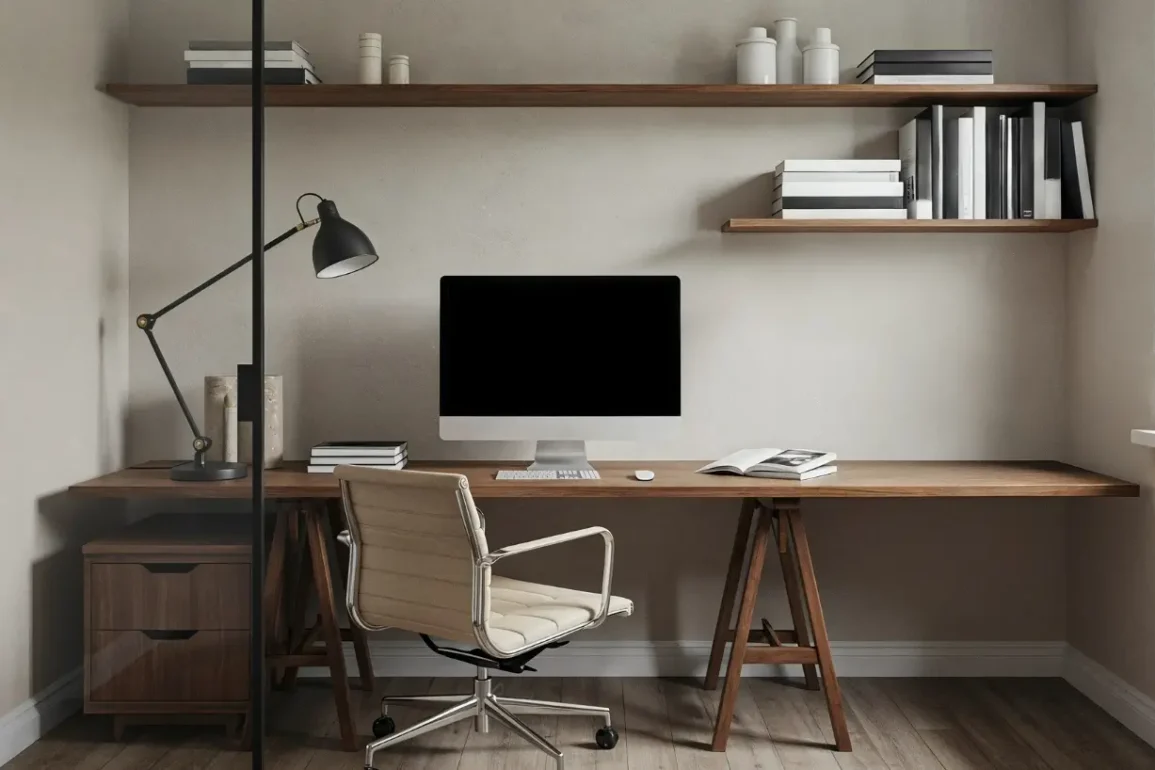
A full-size desk is rarely necessary. A narrow writing desk, wall-mounted fold-down desk, or corner desk can provide enough surface for a laptop, notebook, and a few essentials. Measure the available space carefully before buying. Desks with built-in drawers or shelves save extra room. If the desk needs to disappear after work hours, consider a foldable or drop-leaf design.
3. Prioritize a good chair
Comfort matters more than style when working long hours. Choose a chair that supports the lower back and allows feet to rest flat on the floor. If a full office chair does not fit, a supportive dining chair with a cushion or a compact task chair can work. Add a small footrest if needed. Poor seating leads to fatigue and reduced focus, so this is one area worth investing in.
4. Use vertical space for storage
Floor space is limited, so go upward. Wall shelves, floating shelves, or a tall narrow bookcase keep supplies off the desk and floor. Pegboards or wall organizers hold pens, notebooks, headphones, and small tools. Magnetic strips or wall-mounted file holders also free up surfaces. Keeping the desk surface mostly clear makes the whole area feel larger and more organized.
5. Control cables and reduce visual clutter
Tangled cords make any workspace look messy and smaller. Use cable clips, a simple cable box, or adhesive cord holders to keep wires tidy. Label chargers if multiple devices are used. Store items that are not needed daily in closed boxes, baskets, or drawers. A clean visual field helps concentration and makes the space feel better.
6. Layer lighting properly
Overhead lighting alone often creates glare or shadows. Combine natural light with a desk lamp for focused work. A floor lamp or wall sconce can add ambient light without taking desk space. Position the desk so that natural light comes from the side rather than directly behind or in front of the screen to reduce eye strain.
7. Create a simple visual boundary In an open area, a small rug, a folding screen, a tall plant, or even a different wall color can define the office zone. This mental separation helps signal “work time” and “home time.” When the workday ends, turning off the desk lamp or closing a laptop can reinforce the boundary.
8. Choose multi-functional furniture
Every piece should earn its place. An ottoman with storage can hold files or supplies. A bookshelf can double as a room divider. A console table against a wall can serve as a slim desk during the day and a display surface in the evening. Nesting tables or a rolling cart provide extra surface when needed and tuck away when not in use.
9. Keep only essential items within reach
Limit desktop items to what is used daily: laptop, notebook, pen, water bottle, and perhaps one small plant or photo. Everything else belongs in drawers or on shelves. A minimal setup reduces distractions and makes the small space feel less crowded.
10. Consider noise and privacy
If the home is busy, noise-cancelling headphones or a small white-noise machine can help maintain focus. Positioning the desk to face a wall instead of a high-traffic area reduces visual interruptions. For video calls, a simple backdrop, tidy shelf, or foldable screen creates a professional look without permanent changes.
11. Make the space comfortable for long hours
Add a small desk mat for wrist comfort, keep a sweater or light blanket nearby for temperature changes, and ensure the screen is at eye level (a laptop stand or stack of books works). Good posture and basic comfort prevent tiredness and support better work sessions.
12. Maintain the system daily
A small office stays functional only if it is reset at the end of each day. Spend two or three minutes clearing the desk, putting items back, and preparing for the next morning. This habit keeps the space from slowly becoming cluttered again.
A functional home office in a small space is less about having the perfect room and more about smart choices. Focus on light, a proper work surface, supportive seating, vertical storage, and daily order. These elements create a workspace that supports productivity without overwhelming the rest of the home.
With a few thoughtful adjustments, even a modest corner can become an effective place to work. Start with the location and desk, then add storage and lighting. Small improvements add up quickly and make working from home more comfortable and sustainable.